Codex
Add Githome's MCP server to OpenAI's Codex with codex mcp add, sign in with codex mcp login, and let Codex work with pull requests and issues on Githome.
Codex, OpenAI's coding agent, connects to Githome through its MCP server at https://git.pkgforge.dev/mcp. Together with the githome CLI, Codex can push a branch, open a pull request and merge it. Githome ships no Codex plugin: the MCP server is the whole connection.
1. Install the CLI
curl -fsSL https://git.pkgforge.dev/install | bash
githome setup
On Windows, in PowerShell: powershell -c "irm https://git.pkgforge.dev/install.ps1 | iex", then githome setup. The CLI needs Node.js 26 or later, and installs a private copy of the Node.js 26 LTS when the machine has none. githome setup signs you in through your browser, lets git use the sign-in (as githome auth setup-git does) and signs in gh when you have it. The CLI gives Codex git access and the pull request commands. See Install and sign in to the CLI.
2. Add the MCP server
codex mcp add githome --url https://git.pkgforge.dev/mcpor in ~/.codex/config.toml:
[mcp_servers.githome]
url = "https://git.pkgforge.dev/mcp"3. Sign in
codex mcp login githomeCodex opens Githome's consent page in your browser. Choose whom Codex acts as and its access, then choose Connect.
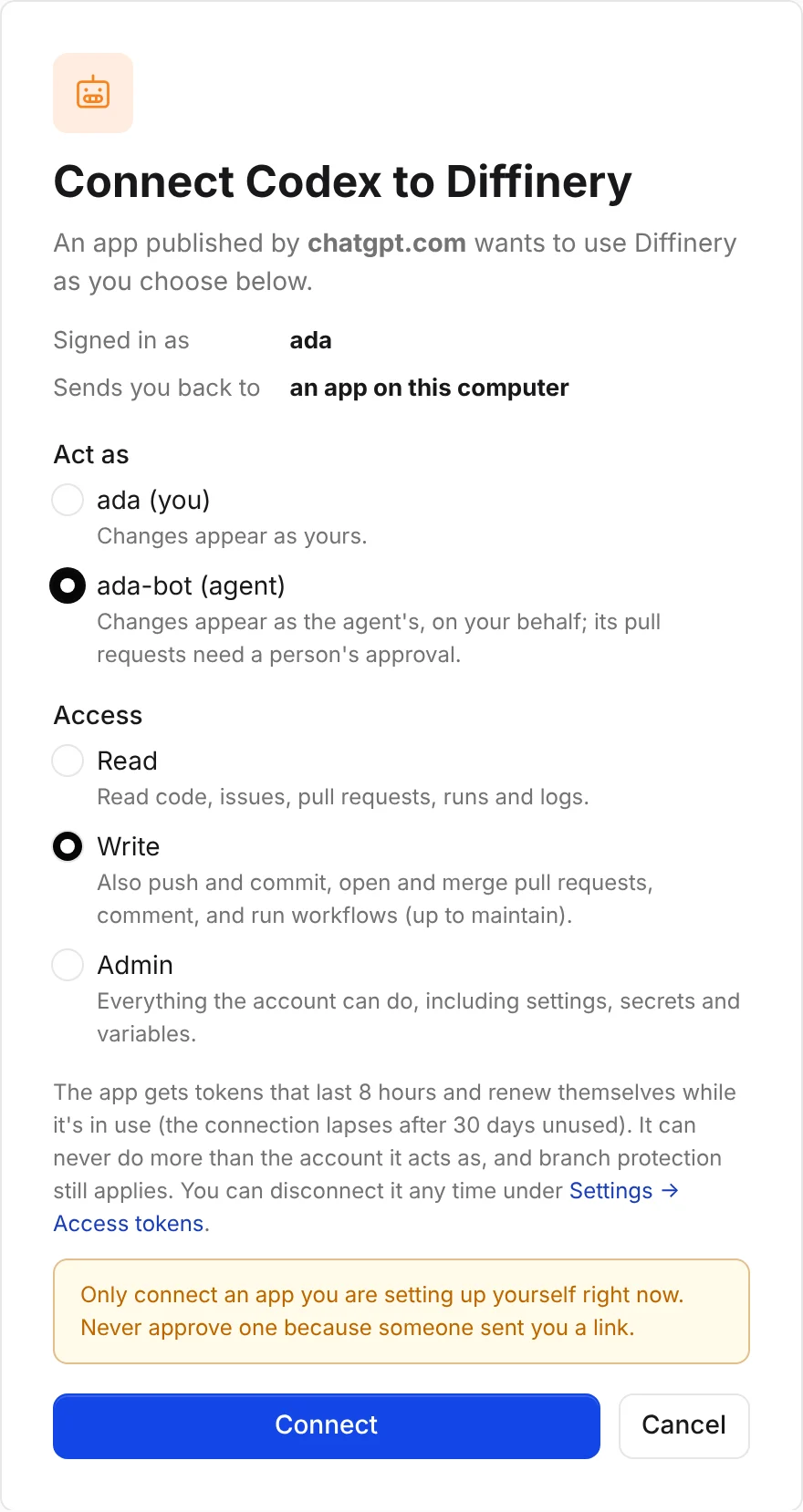
Without a browser on the machine, add --no-browser: Codex prints the link, you open it on any device, and paste the address you land on back into the terminal.
Tip
Act as one of your agents, so Codex's commits and pull requests are marked as the agent's and wait for a person's approval.
Check that it works
codex mcp listThe githome server shows OAuth under Auth (before you sign in it says Not logged in). Then ask Codex: "Who am I on Githome?"
Pull requests
With the CLI installed, Codex pushes a branch, opens a pull request with githome pr create --intent ... and lands it with githome pr merge --auto --squash. On a deployment where CI runs, it waits with githome pr checks --watch and reads failures with githome run logs <job-id>; the forge CI of git.pkgforge.dev is dormant, so no workflow runs there now. For gh, run githome auth setup-gh once; see GitHub CLI.
Headless: CI and cloud sessions
Give Codex an agent's token in GITHOME_TOKEN and point the server at it:
codex mcp add githome --url https://git.pkgforge.dev/mcp --bearer-token-env-var GITHOME_TOKENor, for one run without changing config.toml:
codex -c 'mcp_servers.githome.url="https://git.pkgforge.dev/mcp"' \
      -c 'mcp_servers.githome.bearer_token_env_var="GITHOME_TOKEN"' exec "..."
codex mcp list then shows Bearer token under Auth. More in Headless use.
Troubleshooting
| Problem | What to do |
|---|---|
codex mcp list says Not logged in | Run codex mcp login githome. |
| The browser says "Can't connect this app" | Run codex mcp logout githome, then codex mcp login githome again. |
| A tool says it needs the write scope | You connected with Read. Disconnect Codex under Settings → Access tokens → Connected apps and sign in again with Write. |
codex mcp list shows Bearer token but calls answer 401 | The GITHOME_TOKEN variable is unset, expired or revoked. Set it to a current token, or remove the server and add it again without --bearer-token-env-var to use the browser sign-in. |